
Apps & devices
How to bookmark or add to the home screen - the IsOn24 web app on iPad
Bookmark the IsOn24 web app or add it to your iPad home screen so you can open your calls, messages, and leads in one tap.
Add a Home screen icon for the IsOn24 app on the iPad

1. Go to the Email alerts from the IsOn24 AI voice assistant and tap on the IsOn24 app link.
2. Or, open the Safari browser and type the URL https://ison24.com/app
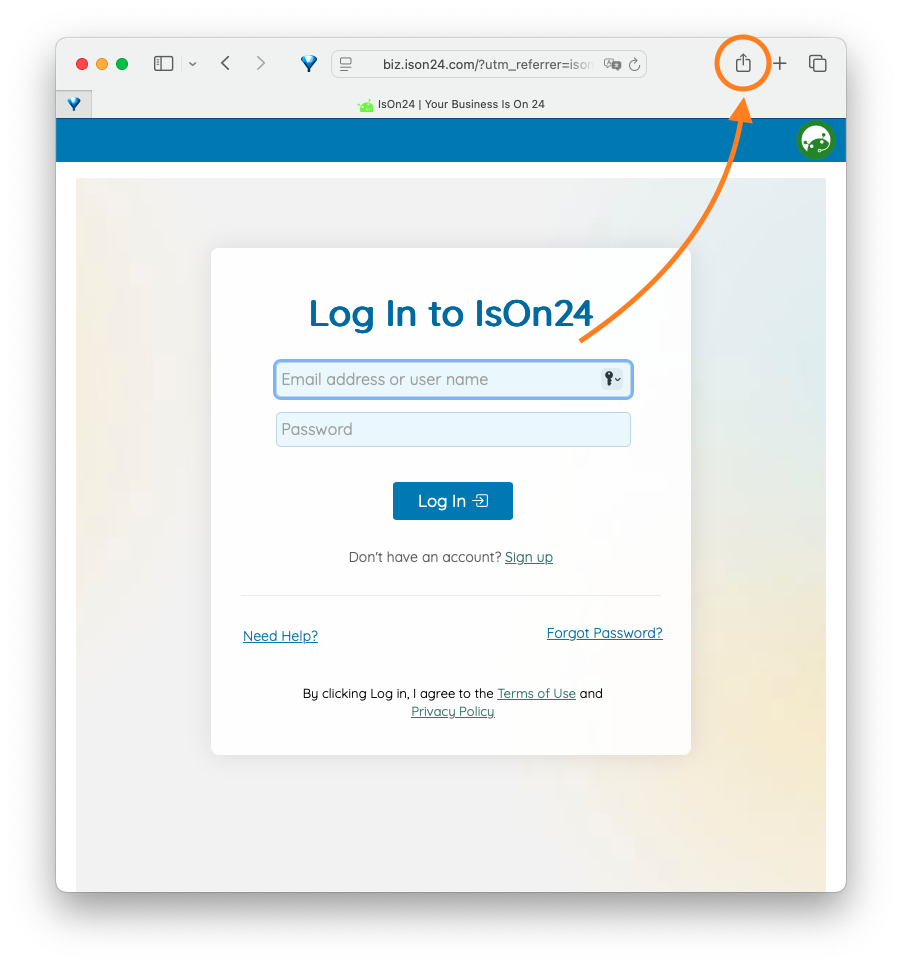
3. Tap on the share icon at the Safari action bar as above.
4. Scroll down the sharing options and tap on Add to Home Screen.
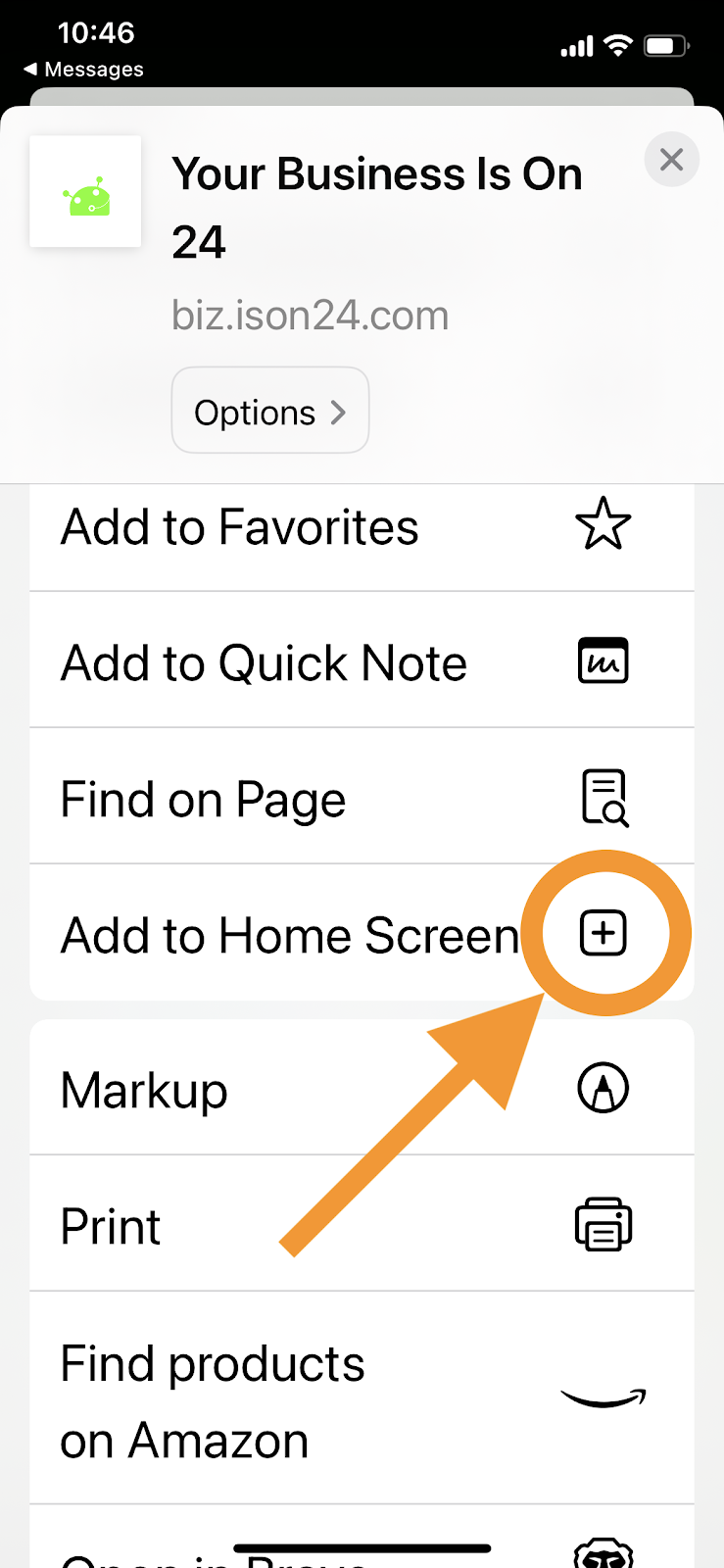
5. Tap Done at the bottom. The IsOn24 app's logo will appear on your home screen.
Thanks!